SmartAlt
AI-powered Alt Text Generation Shopify App
SmartAlt is a Shopify app that generates image rich alt text for merchants using AI, adhering to customisable guidelines
SmartAlt: AI Alt Text for Shopify
Overview
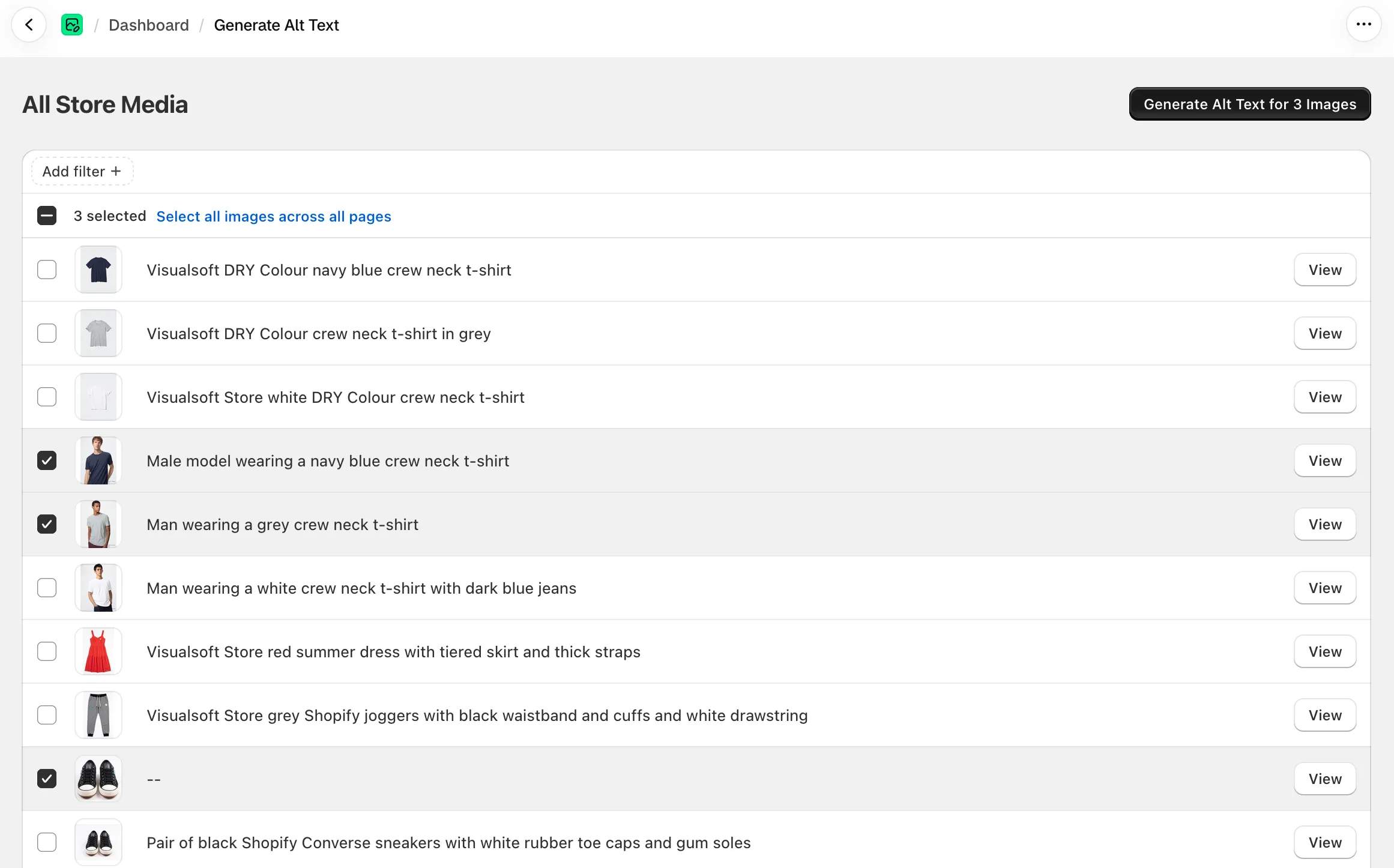
SmartAlt is a Shopify app that writes image alt text for merchants using AI. It reads a store’s product, variant, file and collection images and generates a short description of each one in the store’s own language. It then writes that text straight onto Shopify’s native alt fields, so any theme shows it with no theme changes. Merchants can run it by hand from the app, from the Shopify product list, or leave it fully automatic.
I revamped the architecture of the initial SmartAlt release to be scale-ready for more complicated and higher use cases: the bulk generation pipeline, full automation, SVG support, per-shop prompt tuning, low-value alt text detection and plan-based queue priority.
Key features
- Generates alt text in bulk for a whole catalogue, a selected set of images, or a single product
- Writes alt text onto Shopify’s own image fields, so it works with any theme
- Works in any language the store publishes in, with the output language enforced at every level
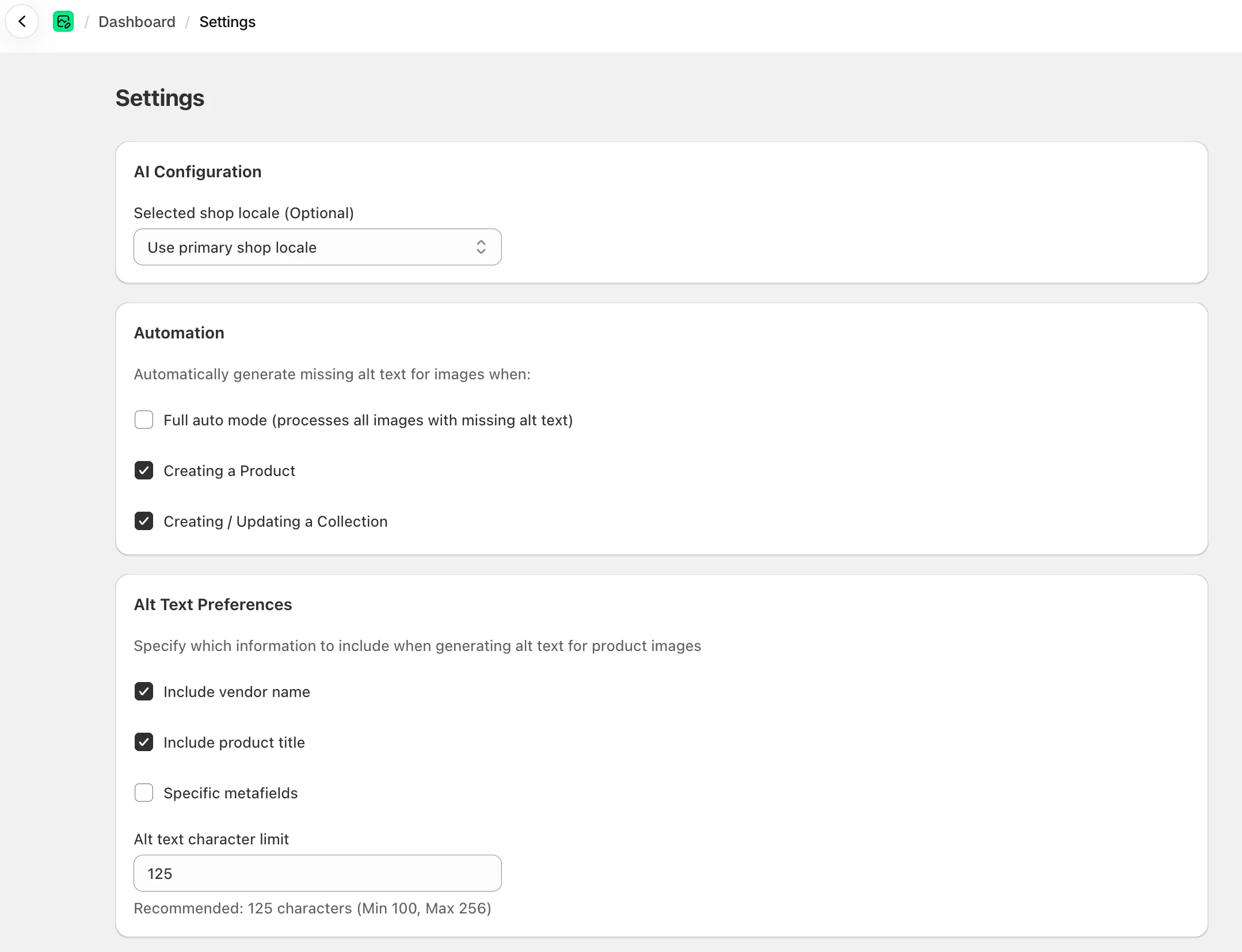
- Adds configurable product context (title, vendor and any product metafields) for more specific alt text generations
- Has the ability to use different AI providers, services and models - including failover to a second provider if the first one is unavailable
- Keeps every description within a character limit that the merchant can control
- Supports JPEG, PNG, GIF, WebP, AVIF, HEIC, HEIF and SVG images
- Flags “potential low-value” alt text, such as very short descriptions or bare filenames, for regeneration
- Runs automatically on new products, sweeps collection images every hour, and offers a full auto mode that keeps the whole store covered
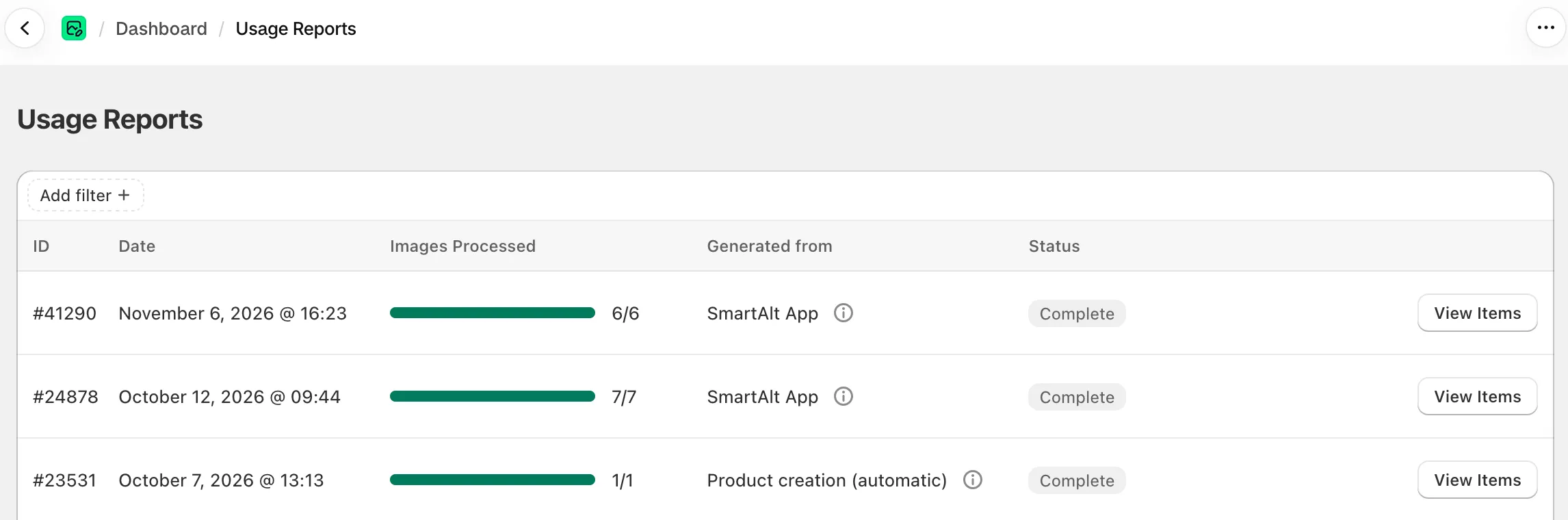
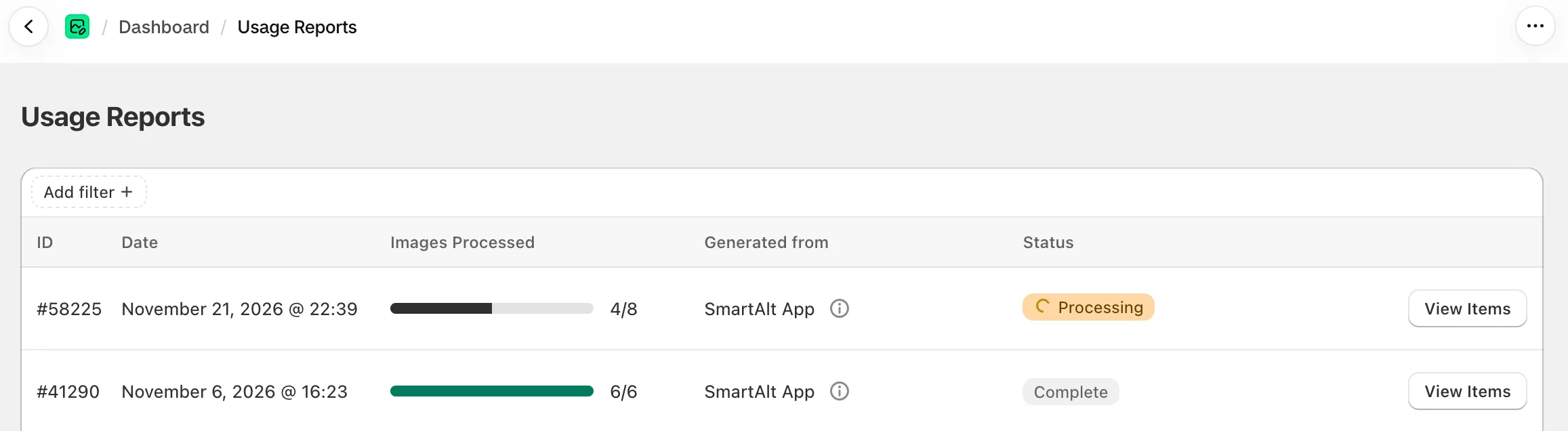
- Shows live progress in the app and in Shopify’s product list as images are processed
- Dashboard feature image counts, alt-text coverage and plan credit usage
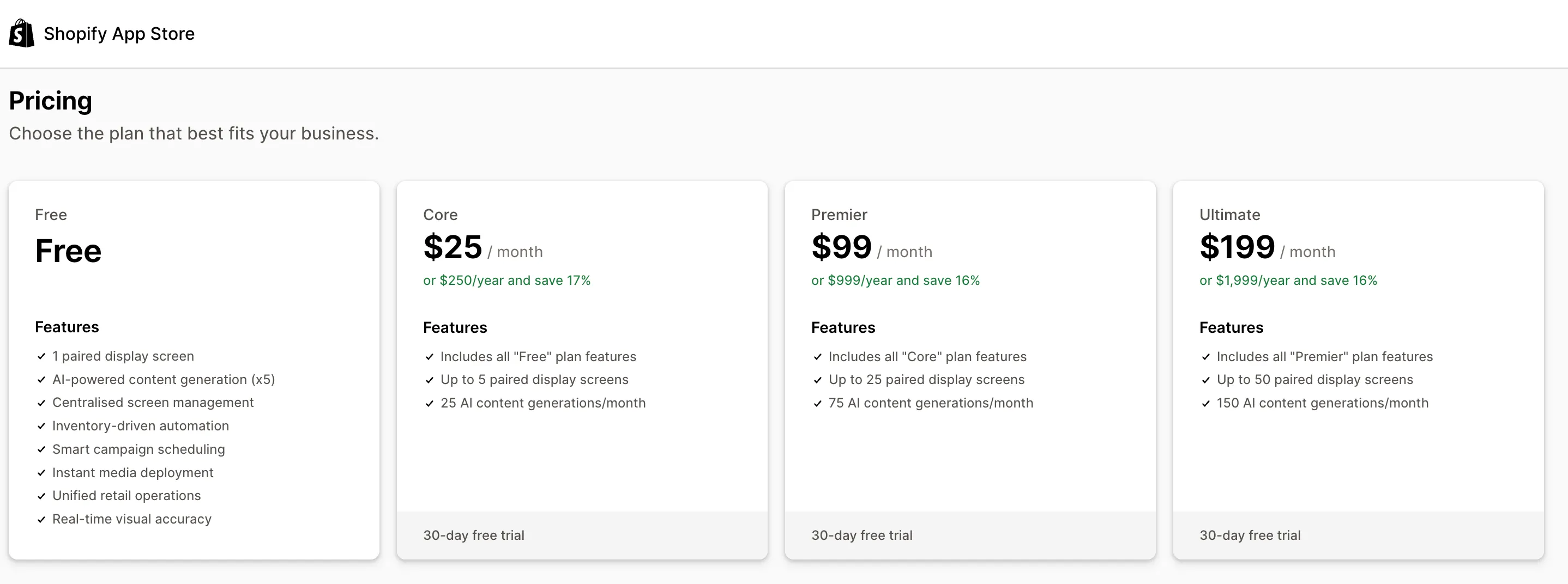
- Gives higher-paying stores more concurrent generations
Problems solved
Most stores have thousands of images with no alt text, or with alt text that’s really just a filename. That hurts accessibility for screen-reader users and can hurt SEO too. Merchants need something that can cover a whole catalogue, in the right language, using the right context and keep covering it as new stock arrives. It also has to do this without slowing the store down or running up uncontrolled AI costs.
Key areas
A generation pipeline built for big catalogues
The first version looked up images one at a time. That was fine for small stores but ran into problems with bigger stores. I re-architected things to use a pipeline of stages that follow a logical sequence. It now starts with a single bulk export from Shopify that maps every image to its product in one pass, so the app can pull in titles, vendors and metafields without repeated lookups. The work runs in queued stages and in chunks that stay within memory limits on very large stores.
I designed it so that each store runs one generation session at a time, with later sessions waiting their turn. Large database writes are chunked and retried, so busy stores don’t hit lock conflicts, and slow reporting jobs run on their own queue so they can’t hold up generation.
Plan-based queue balancing
Every store shares the same pool of workers, so one large catalogue could easily take over the queue and leave everyone else waiting. I introduced queue balancing so that each store gets a fair share of capacity, and stores on higher-paying plans get more as part of their plan.
Each store is placed in one of three tiers based on its SmartAlt plan and its Shopify plan. Stores on SmartAlt’s top-paying plans and Shopify Plus stores go into the top tier. Stores on free, development or Basic plans go into the bottom tier, and everyone else sits in the middle. The team can also set a store’s tier by hand, which overrides the automatic choice. The tier decides how many AI generation jobs a store can run at once: three, two or one by default. Top-tier stores also get a lane of their own, so their extra capacity doesn’t slow down everyone else’s.
The limit holds across every worker and server, so jobs running at the same moment can’t push a store past its allowance, and a slot is always handed back, even when a job fails. Jobs that arrive while a store is at its limit go back in the queue and try again a few seconds later. Waiting doesn’t count against their retry allowance, so a busy store’s work is held back instead of failing. If a run is cancelled, for example because credits ran out, its queued jobs exit straight away instead of tying up slots. Tier rules live in configuration, so moving a new premium plan into the top tier is a settings change, not a code release.
Accurate, on-brand descriptions
The quality of the descriptions decides whether merchants keep the app. I fine-tuned the AI instructions so the store’s language is highest priority, with further instructions to avoid things like quotation marks, which screen readers read out awkwardly. Merchants can add product titles, vendor names and chosen metafields for richer context. For high-value accounts, I added per-shop custom prompts that replace the default instructions and can set their own model and tuning.
Not every image is a photo. I built SVG support so that logos, icons and line art are cleaned of anything unsafe, converted to a capped-size image and described by their purpose rather than their shapes. Oversized or broken files are set aside instead of failing the run. I also worked with the team on reliability. Generation now tries a cascade of three Gemini models when one times out, and it recovers usable results when a model returns slightly malformed output.
Automation that doesn’t run away
I built full auto mode so that stores can switch SmartAlt on and forget about it. The app automatically looks for images that need alt text and queues them for generation - limited to the credits the store has left. Separately, new products get alt text on creation and collection images are regularly checked.
An important decision here was what not to listen to. Shopify’s product-update and collection-update notifications fire on almost every merchant edit, and they were flooding the app with requests. We do intend to rework this to use the new 2026-10 Shopify Events, where the app can conditionally ask for certain payloads to be sent. For example, SmartAlt would want to know if a product or vendor name changed, but the stock level or price is less relevant for the alt-text it would generate.
Fair, credit-based usage billing
SmartAlt charges by credits: each successful description uses one, and every plan includes a monthly allowance. Generation needs an active plan with credits left. Without them, automatic runs skip quietly and actions in the admin are refused with a clear explanation, on every route into the app.
The app checks the remaining allowance before every batch and only queues as many images as the store can pay for. If credits run out partway through a run, outstanding work is cancelled straight away. Merchants see a limit notice rather than a run stuck on “processing”, and the session records why it stopped.
Outcome
SmartAlt now covers the full job for a merchant: it finds the images that need alt text, writes accurate descriptions in the store’s language, and keeps the catalogue covered as it changes, all within a limit the merchant pays for. Operationally, the pipeline handles large catalogues in the background, recovers from stalls and AI provider hiccups on its own, and keeps queue load steady by choosing its inputs carefully. Capacity is shared fairly between stores, with faster processing as a real benefit of higher plans, and usage is counted accurately, so merchants pay for what they get and nothing more.